Professional visuals are one of the biggest factors that influence how people perceive a brand. Whether you’re designing a social media campaign, launching a product, creating advertisements, or building a personal brand, high-quality images capture attention before a single word is read.
Today, thanks to Artificial Intelligence, creating professional-quality visuals no longer requires expensive cameras, photography studios, or advanced graphic design skills. With the right AI tools and prompt-writing techniques, anyone can generate stunning, realistic, and brand-ready images in minutes.
If you’re looking to learn creating professional AI images, this guide will teach you everything you need to know—from choosing the right AI image generator to writing effective prompts, understanding photography principles, and building a professional image creation workflow.
The goal isn’t just to create beautiful images. It’s to create visuals that communicate your brand message, attract your audience, and support your marketing objectives.
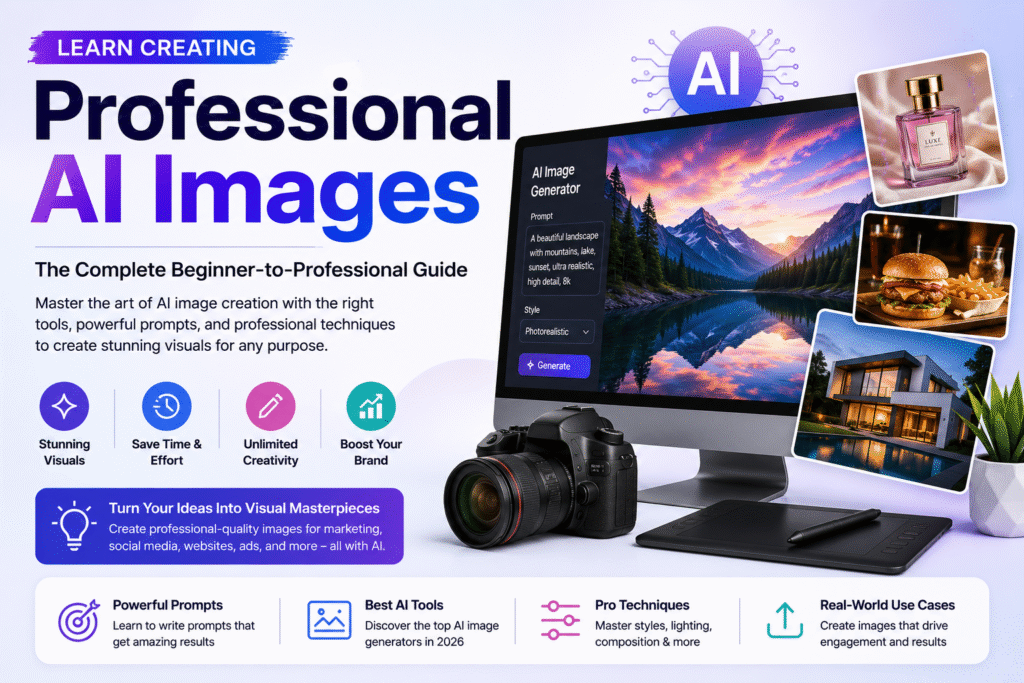
Table of Contents
- What Are AI Images?
- Why Learn AI Image Creation?
- How AI Image Generation Works
- Best AI Image Generation Tools
- The Professional AI Image Creation Framework
- Writing Better Image Prompts
- Photography Principles for AI Images
- Types of AI Images You Can Create
- Editing and Enhancing AI Images
- Common Mistakes to Avoid
- Professional AI Workflow
- Assignment
- Key Takeaways
- FAQs
What Are AI Images?
AI images are visuals generated by Artificial Intelligence based on text instructions known as prompts. Instead of manually drawing or photographing an object, you simply describe the image you want, and the AI generates it.
Modern AI image generators can create:
- Product photography
- Lifestyle images
- Fashion photography
- Food photography
- Healthcare visuals
- Architecture renders
- Social media creatives
- Posters
- Advertising campaigns
- Brand illustrations
- Concept art
The quality of the output depends largely on the clarity and detail of your prompt.
Why Learn Creating Professional AI Images?
AI image generation is becoming an essential skill for digital marketers, business owners, designers, and content creators.
Learning AI image creation allows you to:
- Create marketing visuals faster
- Reduce design costs
- Generate custom brand imagery
- Produce consistent social media creatives
- Design professional advertisements
- Experiment with creative concepts
- Improve content quality
- Scale visual content production
Instead of relying entirely on stock images, you can create unique visuals tailored specifically to your brand.
How AI Image Generation Works
AI image generation follows a simple workflow:
| Step | Process |
|---|---|
| 1 | Define your objective |
| 2 | Choose the right AI image tool |
| 3 | Write a detailed prompt |
| 4 | Generate multiple variations |
| 5 | Refine and edit the best result |
| 6 | Export for your marketing platform |
This process allows you to create professional visuals quickly while maintaining creative control.
Best AI Image Generation Tools
Different AI platforms specialize in different types of visuals.
| Tool | Best For |
| Midjourney | Artistic & luxury visuals |
| Leonardo AI | Marketing creatives & product photography |
| FLUX | Photorealistic images |
| Ideogram | Posters and text-based graphics |
| Adobe Firefly | Safe commercial image editing |
| Canva AI | Social media designs and quick graphics |
Instead of mastering every tool, learn which one works best for your specific project.
The Professional AI Image Creation Framework
Every successful AI-generated image follows the same structure.
Step 1 – Define Your Objective
Before writing a prompt, ask yourself:
- Who is the audience?
- What product or service am I promoting?
- What platform is this image for?
- What emotion should the image create?
- What action should viewers take?
A clear objective leads to stronger visuals.
Step 2 – Choose the Right Style
AI can generate many styles, including:
- Photorealistic
- Editorial Photography
- Luxury Advertising
- Minimalist
- Lifestyle
- Flat Illustration
- 3D Render
- Watercolor
- Cinematic
- Cartoon
Choose a style that matches your brand identity.
Step 3 – Add Photography Details
Professional-looking AI images often include photography language.
Examples:
- 50mm lens
- Soft natural lighting
- Golden hour
- Shallow depth of field
- Studio lighting
- Bokeh background
- Editorial composition
- High dynamic range
These details dramatically improve realism.
Writing Better AI Image Prompts
The quality of your image depends on the quality of your prompt.
A professional prompt should include:
- Subject
- Environment
- Style
- Lighting
- Camera Angle
- Lens
- Composition
- Colors
- Mood
- Technical Details
Weak Prompt
Create a skincare product image.
Professional Prompt
Create a luxury skincare product photograph placed on a white marble surface with soft diffused studio lighting, elegant shadows, 50mm lens, editorial composition, premium branding aesthetic, ultra-realistic, high detail, 8K resolution.
The second prompt provides context and creative direction, resulting in a much stronger image.
Photography Principles for AI Images
Understanding basic photography concepts helps you generate more professional visuals.
Camera Angles
- Eye Level
- Top View
- Low Angle
- Close-up
- Wide Shot
- Macro
Lighting
- Natural Light
- Softbox Lighting
- Golden Hour
- Rim Light
- Moody Lighting
- Studio Lighting
Composition
- Rule of Thirds
- Leading Lines
- Symmetry
- Negative Space
- Framing
Applying these principles makes AI-generated images look like professional photographs rather than generic illustrations.
Types of AI Images You Can Create
AI can generate visuals for almost every marketing need.
Marketing & Branding
- Social Media Posts
- Banner Images
- Advertisements
- Website Headers
- Landing Page Visuals
Product Photography
- Cosmetics
- Fashion
- Food
- Electronics
- Furniture
Lifestyle Photography
- Travel
- Fitness
- Family
- Business
- Hospitality
Industry-Specific Images
- Healthcare
- Education
- Real Estate
- Automotive
- Manufacturing
Editing and Enhancing AI Images
Image generation doesn’t end after clicking “Generate.”
Professional marketers refine their visuals using editing tools.
Common enhancements include:
- Background replacement
- Color correction
- Upscaling
- Object removal
- Lighting adjustments
- Brand color consistency
- Cropping for different platforms
Small edits can significantly improve the final result.
Common Mistakes to Avoid
Many beginners make the same mistakes.
Avoid:
- Writing vague prompts
- Ignoring brand consistency
- Choosing the wrong AI tool
- Overcrowding the scene
- Forgetting the target audience
- Using unrealistic lighting
- Publishing without reviewing details
Professional AI images require thoughtful prompting and careful refinement.
Professional AI Image Workflow
A complete AI image creation process looks like this:
Idea
↓
Research
↓
Mood Board
↓
Prompt Writing
↓
Image Generation
↓
Editing
↓
Brand Review
↓
Platform Optimization
↓
Publishing
Following a structured workflow ensures consistent, high-quality results.
Key Takeaways
- AI image creation starts with clear objectives.
- Better prompts create better visuals.
- Photography knowledge improves AI-generated images.
- Choose the right AI tool for each project.
- Always refine and edit your results before publishing.
- AI is a creative partner, not a replacement for strategy.
Internal Linking Suggestions
Link this article to:
- Prompt Engineering: The Skill That Unlocks the Power of AI
- Understanding AI Models: Which AI Model Should You Use?
- AI Tools Every Digital Marketer Should Master
- Learn Content Creation Using AI
- AI Video Creation Masterclass
Outbound Resources
For further learning:
- OpenAI – https://openai.com
- Adobe Firefly – https://firefly.adobe.com
- Canva – https://www.canva.com
- Google AI – https://ai.google
- Google Search Central – https://developers.google.com/search
Frequently Asked Questions
Can beginners create professional AI images?
Yes. With the right prompts and AI tools, beginners can generate high-quality images suitable for marketing, branding, and social media.
Which AI tool is best for creating realistic images?
Leonardo AI, Midjourney, and FLUX are among the most popular tools for generating realistic and professional AI images.
Why are prompts important in AI image generation?
Prompts provide the AI with detailed instructions about the subject, style, lighting, composition, and mood, directly influencing the quality of the generated image.
Do I need photography knowledge to create AI images?
Basic photography concepts such as lighting, camera angles, and composition greatly improve the quality of AI-generated visuals, but you can start learning AI image creation without prior photography experience.
Can AI-generated images be used for commercial projects?
Many AI platforms allow commercial use, but always review the licensing terms of the specific tool before using images in client or business projects.